Will update the tutorial soon..
Friday, 12 April 2013


Thursday, 11 April 2013
Aptoide

What is Aptoide?
Aptoide is a website where you can download free apps to mobile Android devices through a software client, Aptoide
In Aptoide you can also upload Android apps to share with others.
Aptoide is the largest independent Android app store and allows one to setup and manage your own Android Market. Upload, test and approve your apps.
Installation :
- Download aptoide.apk through your phone browser here
Source : Aptoide
Galaxy Note N7000 : Official Malaysia Firmware 4.1.2 with rooting guide.

Installation :
1. Download from here (739.8MB)
2. Extract it.

3. Flash using PC Odin. Download here
a. Run Odin3 v3.04.exe as administrator. (Right click-run as admin)
b. Select N7000DXLSE_N7000OLBLSE_N7000DXLS8_HOME.TAR.md5 in PDA
4. Switch off your phone.
5. Enter download mode. (Vol down+Home+Power)
6. Connect your phone to your computer.
7. Make sure the ID:COM turn to blue.
8. Click start and wait till your phone fully boot up.
Rooting Guide :
1. Download PhilZ kernel here (.zip) don't extract.
2. Copy zip file to your SDcard.
3. Switch off your phone.
4. Enter recovery mode. (Vol up+Home+Power)
5. Flash .zip file.
6. Reboot system.

Monday, 1 April 2013
PAPAGO! M11 Navigation For Android (ID)

-FEATURES
•Intelligent Search Function
•Simple, User Friendly Interface
•Fast Route Calculation
•Comprehensive Map Data
•No need to Connect to Internet (Wi-Fi/3G)
•Automatic and Free Map Download
-POWERFUL SOFTWARE FUNCTIONS
•Multi Navigation Mode: 2D/3D/Split Screen
•Road Elevation Display
•Inside Tunnel Simulation
•Portrait/Landscape Dual Mode Support
•Auto Zooming the Map by Speed
•Day and Night Map Mode
•Speed Camera Alarm
•Built-in 3D Buildings
-ADVANCE
•Built-in 3D landmarks
•Junction Views (realistic view of motorway interchanges and exits)
Installation :
1. Download PAPAGO! M11 - Here / Here / Here
2. Connect your phone to computer.
*Copy (NaviM11ID) folder to your device internal storage (for android version GingerBread 2.1/2.2/2.3)
*Copy (NaviM11ID) folder to your External SDCard (for Android version ICS 4.0.3 and Above 4.1)
3. Disconnect your phone.
4. Install Papago! M11. (can be found inside NaviM11ID folder)
5. Download Malaysia Maps - Here
6. Extract downloaded files.
7. Delete R51_SSC.hdr
8. Connect your phone to computer.
8. Copy the whole contents of Malaysia Map from Auto Demo to Standard_VGA to \NaviM11ID\Maps\Indonesia_1203
Screenshot :


Tips :
Use GPS TEST apps to lock sattelite faster.

Galaxy Note N7000 : Android 4.2.2 CarbonRom
CarbonRom is an aftermarket firmware based on the Android Open Source Project.
 ROM FEATURES :


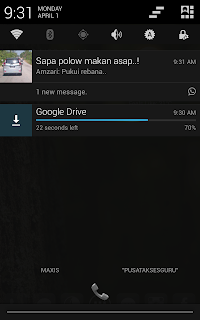


- Android 4.2.2
- PIE
- Xposed Framework (May cause stability or performance issues - use at your own risk!)
- Comprehensive speed enhancements, including Linaro -O3 and processor-specific optimizations
- Unofficial Voodoo Sound support on Note 2 and i9300 devices.
- Option to hide lockscreen hints
- Carousel lockscreen
- Customizable lockscreen buttons and sliders
- Chronus clock widget
- Customizable hardware and software keys
- Transparent navbar and status bar
- Customizable navbar ring
- Navbar arrow keys
- Navigation bar widgets
- Customizable power menu
- Notification power widget
- Notification brightness adjustment
- Customizable quicksettings panel
- Statusbar mods including center clock and color
- LCD Density
- Theme engine
- Quiet hours
- Volume rocker music controls
- Full Rotation
- Customizable battery and notification light
Installation :
1. Download CarbonROM - Here
2. Download Gapps for 4.2.2 - Here
3. Download Official CM 10.1 Kernel N8 Mali 20130327 - Here
4. Copy all downloaded files into extSDcard.
5. Boot phone into Recovery Mode.
6. Install Official CM 10.1 Kernel N8 Mali 20130327.
7. Reboot recovery. (Under advance menu)
8. Make a full wipe (factory/cache/dalvik)
9. Install CarbonROM
10. Install Gapps
11. Reboot system.
12. Done.
Screenshots.


Note :
Sygic and Papago M9 not compatible with this rom. Only Papago M11.


Subscribe to:
Posts (Atom)
LinkWithin
