Monday, 3 March 2014
Wednesday, 21 August 2013
Wednesday, 26 June 2013
Fastest 4.1.2 ROM on XDA [N7000]
SuperBean 1.4.1 XXLT4
Download ROM SuperBean 1.4.1 here / here (zip)
Download PhilZ kernel XXLT4 v5.00.5 here / here (zip)
1. Copy both files to your SDcard.
2. Reboot into recovery mode (vol up+home+power)
3. Full wipe (data/cache/dalvik) with any latest PhilZ kernel.
4. Mount and storage.
5. Format /system /data /preload.
6. Format /emmc (WARNING! this step will erase entire phone memory! Super clean ROM you'll get)
7. Install zip. (ROM)
8. Wait until finished.
9. If you want to gained your root back, install PhilZ kernel XXLT4 v5.00.5. (do not use others, you may loss root or double superuser app)
10. Reboot.
Screenshot
Download ROM SuperBean 1.4.1 here / here (zip)
Download PhilZ kernel XXLT4 v5.00.5 here / here (zip)
1. Copy both files to your SDcard.
2. Reboot into recovery mode (vol up+home+power)
3. Full wipe (data/cache/dalvik) with any latest PhilZ kernel.
4. Mount and storage.
5. Format /system /data /preload.
6. Format /emmc (WARNING! this step will erase entire phone memory! Super clean ROM you'll get)
7. Install zip. (ROM)
8. Wait until finished.
9. If you want to gained your root back, install PhilZ kernel XXLT4 v5.00.5. (do not use others, you may loss root or double superuser app)
10. Reboot.
Screenshot
Friday, 31 May 2013
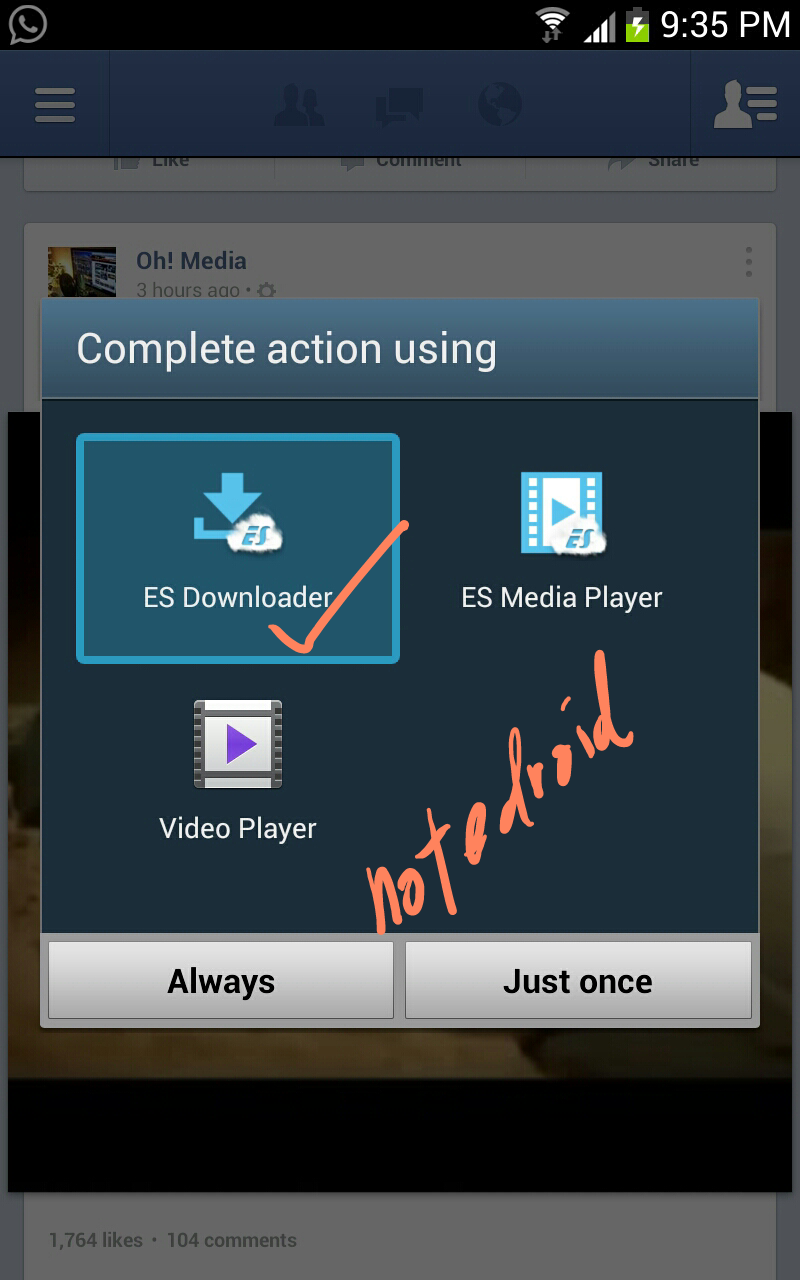
Download video from Facebook android apps.
1. Download ES File Explorer File Manager from Playstore. It's FREE
2. Open Facebook apps and find any video.
Tuesday, 28 May 2013
Ubuntu Theme - UCCW skin.
Tired of your old fashion homescreen? try this one.
Step by step installation :
1. Download Apex Launcher from Google Play. make it default launcher. 5 screens.
2. Go to Apex settings-Homescreen settings. Set the portrait grid to 8x5 ; Horizontal and Vertical margin = None
3. Go to Apex settings-Advanced settings-Checked Overlapping widgets
4. Download Ultimate Custom Widget (UCCW) from Google Play. it's FREE
5. Download and install Ubuntu Theme Pack - Here
FIRST screen.
1. Place a UCCW widget of 5x2 size at the top of the first screen. This will open the skins list.
2. Tap on "Ubuntu2-Home" skin and it'll be applied to the widget.
3. Place 10 frequently used app icons below this.
4. Place two more 5x2 size uccw skins on the first screen. Skins are Ubuntu2-Calendar, Ubuntu2-Notification.
5. Screen 1 is now complete.
SECOND screen
1. Place a UCCW widget of 5x2 size at the top of the first screen. Skin name is "Ubuntu2-Social".
2. Place 10 social app icons below this.
3. Place a 5x1 size uccw skin here now. Skin name "Ubuntu2-Contacts".
5. Long press Homescreen > Shortcuts > Contact > Select the contact. Place 10 contacts in this way.
Screen 2 is now complete.
Note : Icons is from Apex launcher theme.
Friday, 24 May 2013
Energy Bean 3.0 -XXLT5-
It's true.. just another ROM on XDA. but this one captured my heart. :)
Fast enough. Acceptable battery life. Less lagging.
Installation :
1. Download Energy Bean - Here
2. Download PhilZ kernel - Here
3. Copy both files into External SD.
Coming from stock/custom recovery;
1. Boot into recovery mode(vol up+home+power)
2. Flash PhilZ kernel
3. Reboot recovery
Fast enough. Acceptable battery life. Less lagging.
Installation :
1. Download Energy Bean - Here
2. Download PhilZ kernel - Here
3. Copy both files into External SD.
Coming from stock/custom recovery;
1. Boot into recovery mode(vol up+home+power)
2. Flash PhilZ kernel
3. Reboot recovery
PhilZ kernel - you're on safe kernel ! Good to go.
4. Wipe Data/Factory Reset.
5. Wipe cache partition
6. Wipe dalvik. (under advance menu)
7. Format /cache ; /data ; /system ; /preload
Optional :
8. Format emmc (WARNING : this will format your phone storage, photo, music, video ect will be gone)
9. Flash ROM .zip file.
10. Done
Features :-
1. By default - Xperia launcher. 2. Center clock.
3. Theme elegant.
4. Full airview
5. Video live thumbnail
6. 488 fonts
7. S4 sound
8. Bravia engine and Awesome beat audio.
9. Camera shutter on/off
10. Full screen HD caller ID. S4 icon on contact.
Read more...
Thursday, 23 May 2013
Sygic GPS Navigation 13.1.1
1. Download Sygic APK and Sygic data - here
From your PC/Laptop;
1. Copy downloaded files into a folder.
Using a winrar;
2. Right click Sy 13.1.1 full and extract here, you'll get Sy 13.1.1 full.apk
3. Right click Sygic and extract here, you'll get Sygic folder.
4. Connect your phone to computer.
5. Copy Sy 13.1.1 full.apk and Sygic folder into a phone storage.
6. Disconnect your phone from computer.
From your Android phone.
1. Open My Files/File manager
2. Install Sy 13.1.1 full.apk
3. Done
Screenshots;
about Sygic 13.1.1
GPS satellites
Nearby SOS
Current location
Nearby POI's
Kuala Lumpur
Singapore
Singapore
Sygic extension
Subscribe to:
Posts (Atom)